
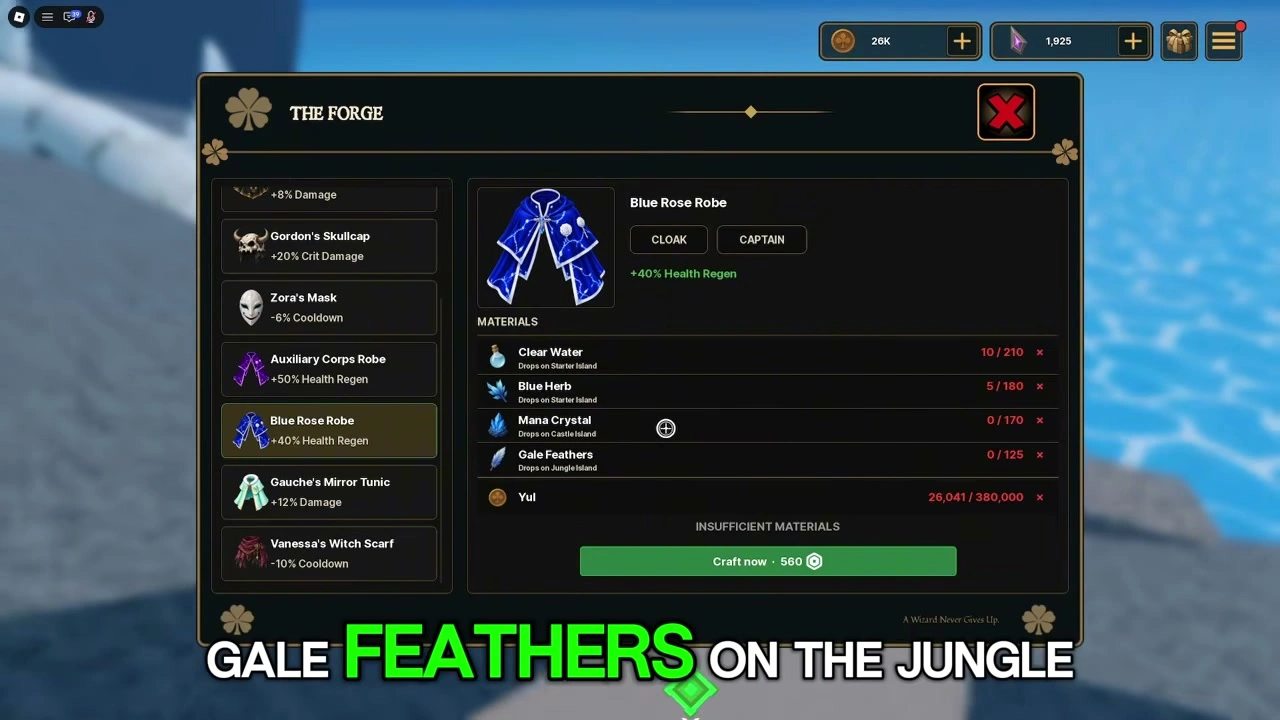
Read the selected recipe
Open Forge and select the accessory you intend to make. The panel shows its own material rows and a separate Yul row. Read the owned and required quantities for every row; enough currency does not mean the whole recipe is ready.
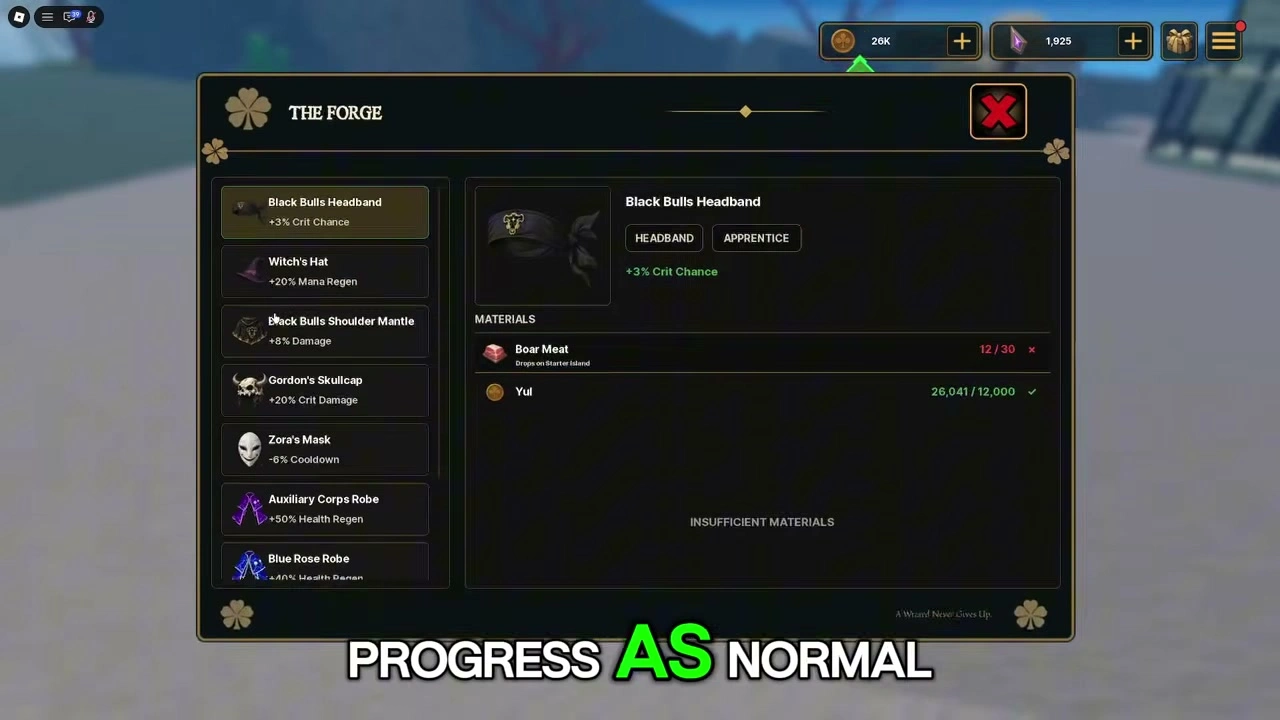
The Blue Rose Robe screen above and the Headband screen here are different recipes. Do not carry quantities from one to the other. Recipe costs and accessory effects can change; use the quantities on the item you have selected.
Find Boar Meat and other materials
Boar Meat has two reported routes: the Starter Island material source and the Materials shop. Start with the recipe shortage, then compare the current shop price with the trip you plan to make. The game’s Inventory → Index → Materials entry is the live check; confirm the item’s origin, price and stock before travelling or spending Yul.
Starter Island
- Boar Meat · listed material source
- Clear Water
- Blue Herb
Materials shop
- Boar Meat · reported purchasable
- Check current price and stock in-game
Other pictured routes
- Castle Island · Mana Crystal
- Jungle Island · Gale Feathers
Third-party island and materials guides report these routes, but this site has not verified a current shop listing or a specific enemy drop. The Index entry is the authoritative in-game check. These examples cover the materials pictured here, not every source among the 12 islands listed by Roblox.
Calculate a material gap
Enter one material row from your selected recipe. This tool compares quantities; it does not read your Roblox inventory.
Your missing quantity appears here after you enter both counts.
Repeat the calculation for each short row. Keep Yul separate from item quantities, and return to the recipe screen after collecting: the craft decision depends on the full recipe, not just the last material you farmed.
Check the Index before travelling
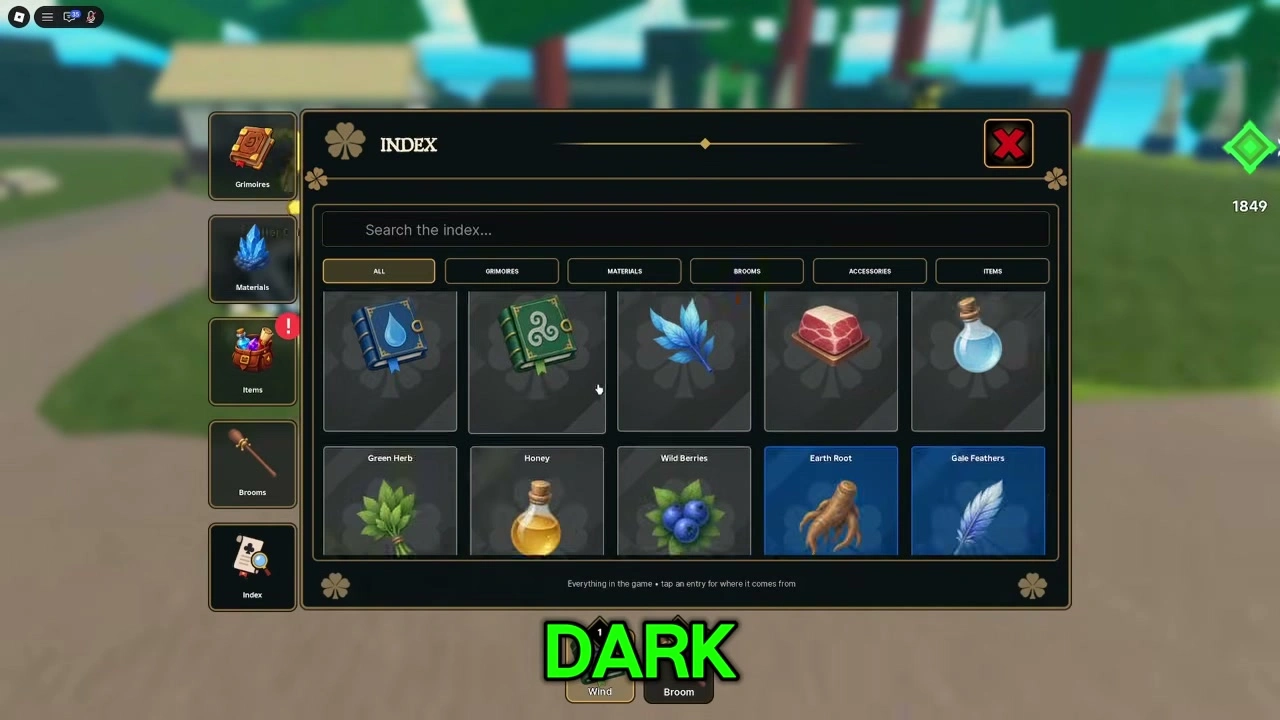
- Select the item in Forge. Copy its exact material name and missing quantity.
- Open Inventory → Index → Materials. Find the matching entry and open its origin information.
- Group your trip by destination. Keep the materials for one selected recipe together.
- Recheck before crafting. Read the final action and any currency or purchase shown beside it.
Forge accessories and grimoire awakening are separate tasks. Boss Spell Pages belong on your awakening list; do not assume this accessory recipe covers them. If you are travelling for quest progress, use the Skull Island quest route to recognise the Elder and target counter.
Something different in your game? Send a correction with the relevant panel.